
Verify
Car rental identity verification before the keys leave
OnReserve builds car rental identity verification into the booking itself. After choosing a car, the renter photographs their passport or ID card and driver's license with their phone, uploads proof of address, and completes a liveness check. A person on your team approves or rejects the check before pickup, and the booking moves on to payment and deposit. Nobody has to inspect documents at the counter.
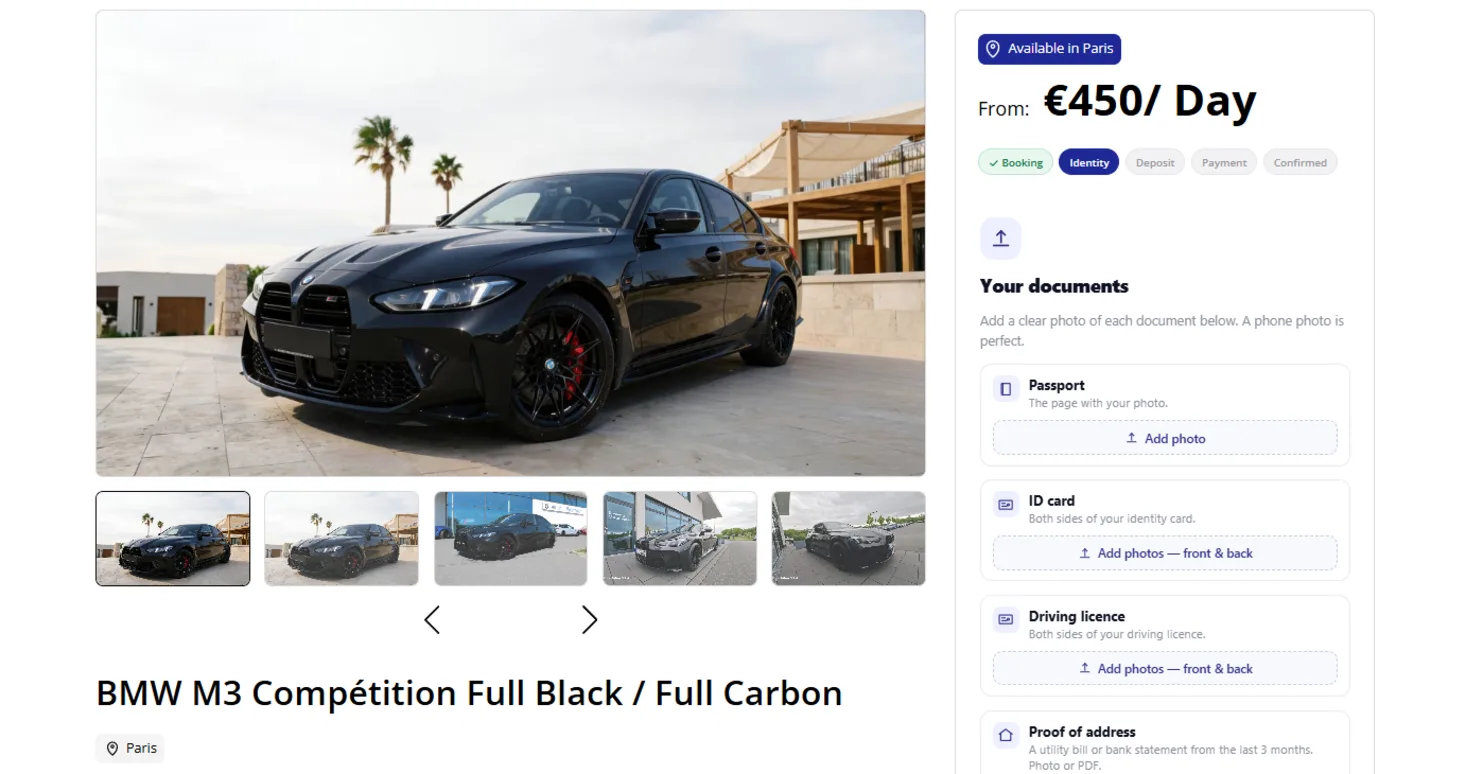
Document capture for renter screening
Renters complete verification on their own phone during the booking, so incomplete files are caught days before pickup instead of at the handover. Each step shows which documents are still missing, and the booking waits until the file is complete.
-
Passport and ID card
The phone camera captures the passport photo page, or both sides of an ID card, inside an alignment frame.
When you need it: You hand high-value cars to people you have never met.
-
Driver's license verification
Both sides of the driver's license are captured, and the renter's age and years holding a license are checked against your rules.
When you need it: Your insurer requires a minimum age or driving experience.
-
Proof of address
Renters upload a recent utility bill or bank statement as a photo or PDF.
When you need it: You need a confirmed address for fines, contracts or recovery.
-
Liveness check
A basic liveness check measures movement between camera frames and stores the frames for your reviewer.
When you need it: You want to catch someone holding up a photo of another person.
-
Verification outside the widget
A standalone verification page lets a renter complete the same capture steps from a link.
When you need it: The booking was made by phone, WhatsApp or a concierge.
Human review for every car rental KYC check
Software collects and compares the documents. A person on your team makes the decision.
-
Approve or reject from Telegram
Each submission arrives in your team's Telegram chat with the images and approve and reject buttons. The same review works in the dashboard.
When you need it: Whoever is on duty should be able to decide from their phone.
-
MRZ reader for staff
The reviewer can read the machine-readable zone of a document and compare the name, date of birth and document number with what the renter entered.
When you need it: You want a quick check that the typed details match the document.
-
Request documents again
Ask for a specific document again, or reopen a check, without starting the booking over.
When you need it: A photo is blurry or a document has expired.
-
Automatic cancellation
Bookings that stay unverified are canceled automatically after a time you set.
When you need it: Unverified bookings would otherwise block the car for other renters.
-
Nationality rules
Renters from nationalities you do not accept are rejected automatically.
When you need it: Your insurance excludes certain nationalities.
Renter screening that returning renters do once
Verification is stored against the renter, not the booking, and personal data is not kept longer than it needs to be.
-
Reuse until documents expire
Each document has an expiry date, and a valid verification is reused for the renter's next booking.
When you need it: Regular renters should book again in a minute.
-
Automatic data deletion
Verification data is deleted by a scheduled purge job 90 days after it is collected.
When you need it: You process identity documents under GDPR and must not keep them indefinitely.
Renter screening questions
What documents does a renter need for car rental identity verification?
A passport or an ID card (front and back), a driver's license (front and back), and proof of address such as a utility bill or bank statement. Renters capture them with their phone during the booking.
Who decides whether a renter is approved?
A person on your team. OnReserve collects the documents and the liveness frames and sends them for review in Telegram or the dashboard; the decision stays with you.
Does OnReserve check criminal records or sanctions lists?
No. Screening covers identity documents, proof of address, the liveness check and your own rules on age, driving experience and nationality.
How long is verification data kept?
Verification data is deleted automatically 90 days after it is collected.
Can I set a minimum age or driving experience?
Yes. Minimum driver age and minimum years holding a license are company rules, and the renter's license details are checked against them during verification.
Do returning renters have to verify again?
No, as long as their documents are still valid. They confirm a code sent to their email and the existing verification is reused.
The rest of the rental lifecycle


See  running live.
Book a walkthrough on a real fleet and see the whole lifecycle — from the ad that brings the renter to the car that comes back.